// Splitzer · macOS menu bar utility
Every window,
exactly where you want it.
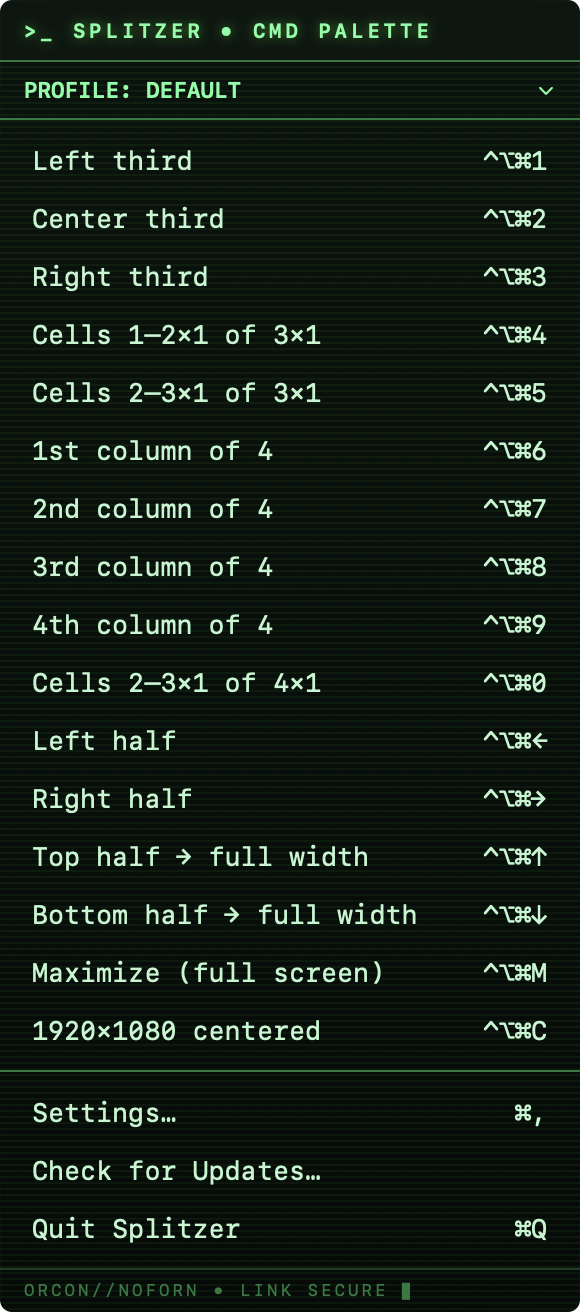
A menu-bar utility that tiles the frontmost window into precise grid layouts — thirds, quadrants, halves, or exact pixel sizes — using keyboard shortcuts you define.
What it does
Grid zones
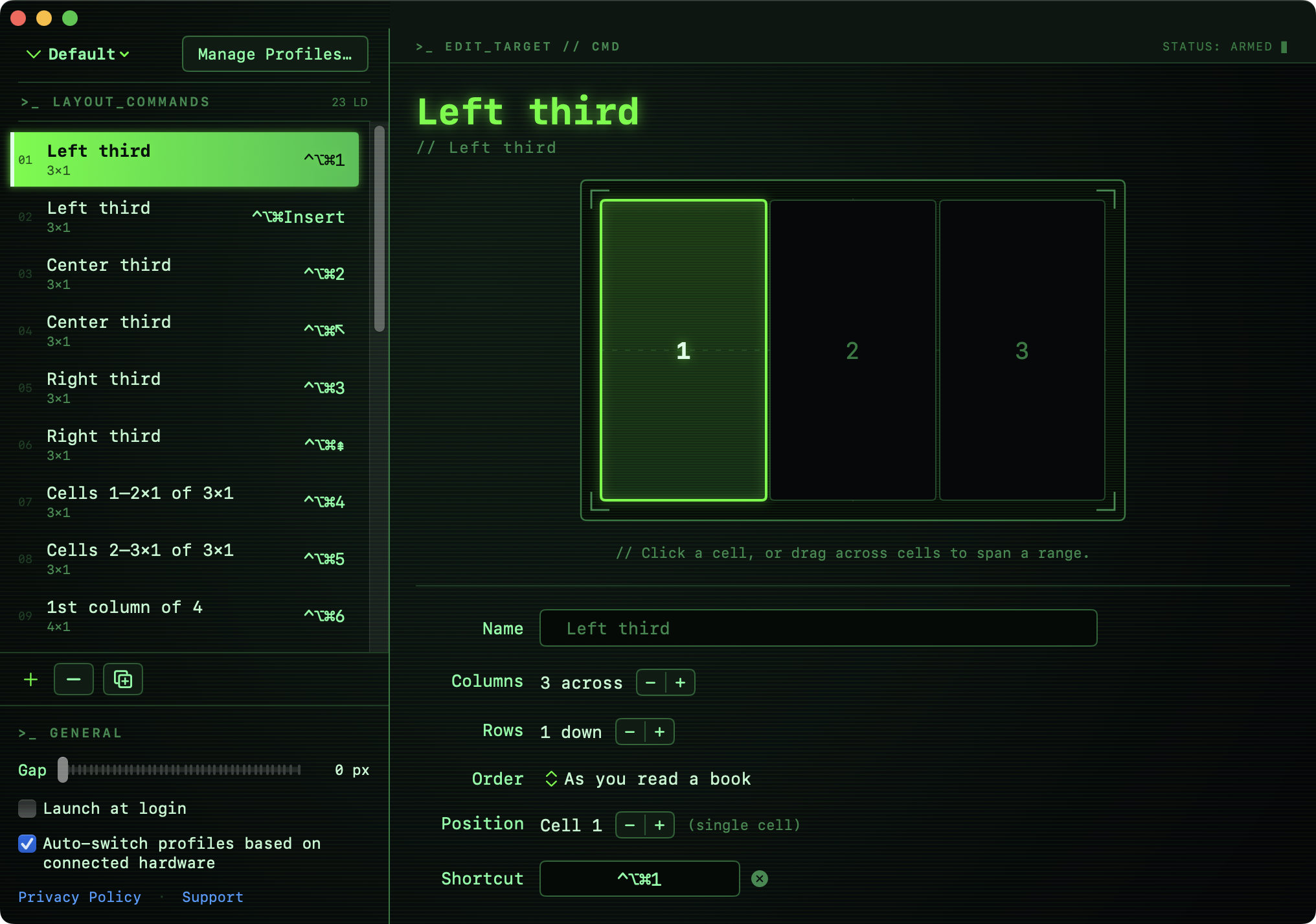
Define any columns x rows grid and assign a shortcut to any rectangular range of cells — not just fixed halves or thirds.
Half-step toggles
One shortcut squeezes the active window to the top or bottom half at its current width. Press it again to expand that half to full width.
Maximize
Fills the visible screen edge-to-edge — deliberately not native macOS full-screen, so the menu bar and other apps stay reachable.
Fixed pixel sizes
Resize to an exact width x height — say, 1920x1080, centered on screen — useful for recording, streaming, or demoing at a precise resolution.
Fully custom shortcuts
Assign any modifier combination to any command, including Home, End, Page Up, Page Down, Insert, Delete, and the arrow keys — not just letters.
Command palette
Every command is also reachable from a searchable, browsable menu — nothing has to be memorized before it's useful.
See it in action
Trust & permissions
Splitzer asks for two macOS permissions during setup. Both sound scarier than they are — here's exactly what each one does and why every app in this category needs it.
Accessibility
Lets Splitzer read the frontmost window's position and size, and move or resize it. macOS requires this permission for any app that repositions windows belonging to another process — it's the same permission Rectangle, Amethyst, and Magnet all require. Splitzer only touches window geometry, never window content.
Open Accessibility settingsInput Monitoring
Lets Splitzer's global keyboard shortcuts fire no matter which app is focused — required for any system-wide hotkey utility built outside the App Sandbox. Splitzer only matches the specific key combinations you've assigned; nothing is logged or stored.
Open Input Monitoring settingsEvery release is signed with a Developer ID certificate, notarized, and stapled by Apple — the same process Rectangle and Amethyst use for direct downloads. Gatekeeper verifies this automatically; there's no "unidentified developer" warning.
Splitzer isn't on the Mac App Store because the App Sandbox blocks the cross-process window control every macOS window manager is built on — a platform limitation, not a choice.
Pricing
$9.99, one time — no subscription
Free to try. A one-time purchase unlocks it for good, with free updates via auto-update.
Download
Free to try for 14 days — no account, no credit card. Requires macOS 15.0 (Sequoia) or later. Notarized and signed by Apple, about 2 MB. Sparkle checks for updates automatically after install, so there's no need to revisit this page for future versions.